

How to Add a Company Director Role in MyTax Malaysia: A Step-by-Step Guide
If you are a company director in Malaysia, you may need to register your director role in the Inland Revenue Board of Malaysia (LHDN)’s MyTax portal to access company-related tax services and manage your company’s tax matters online.
However, some users may be unsure how to apply for the director role, which supporting documents are required, and how to appoint Licensed Tax Agent or other individuals to access the company’s tax information.
In this guide, We will explains how to apply for the Director of Company / Organisation Administrator role in MyTax, including the application process, supporting documents, and how to appoint representatives.
What Is the Director Role in MyTax?
The Director of Company / Organisation Administrator role in MyTax allows an authorised individual to access relevant company tax functions through the MyTax portal.
To apply for this role, the company director must log in using their personal MyTax account and submit a role application linked to the company’s Tax Identification Number (TIN).
Important points to note:
- Only one director per company should be registered under the Director of Company / Organisation Administrator role in MyTax.
- Other authorised individuals can be appointed as representatives by the director who has been approved for the director role.
- The Employer role is normally approved automatically together with the director role. However, if the Employer role is not automatically approved, a separate application may be necessary.
Step-by-Step Guide: How to Add a Director Role in MyTax
Follow the steps below to submit your application.
Step 1: Log In to Your Personal MyTax Account
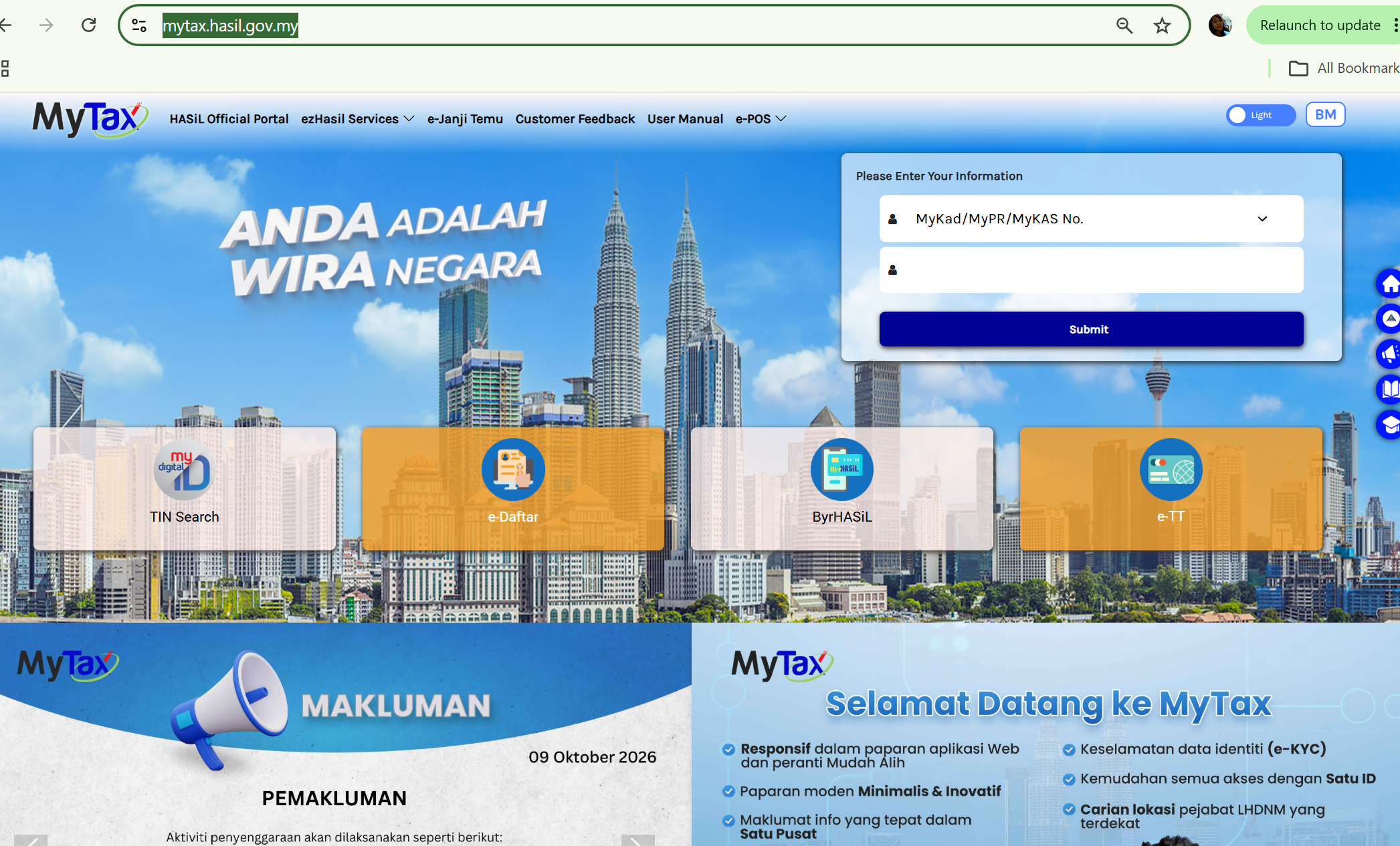 Visit the official MyTax portal:
Log in using your personal MyTax account credentials.
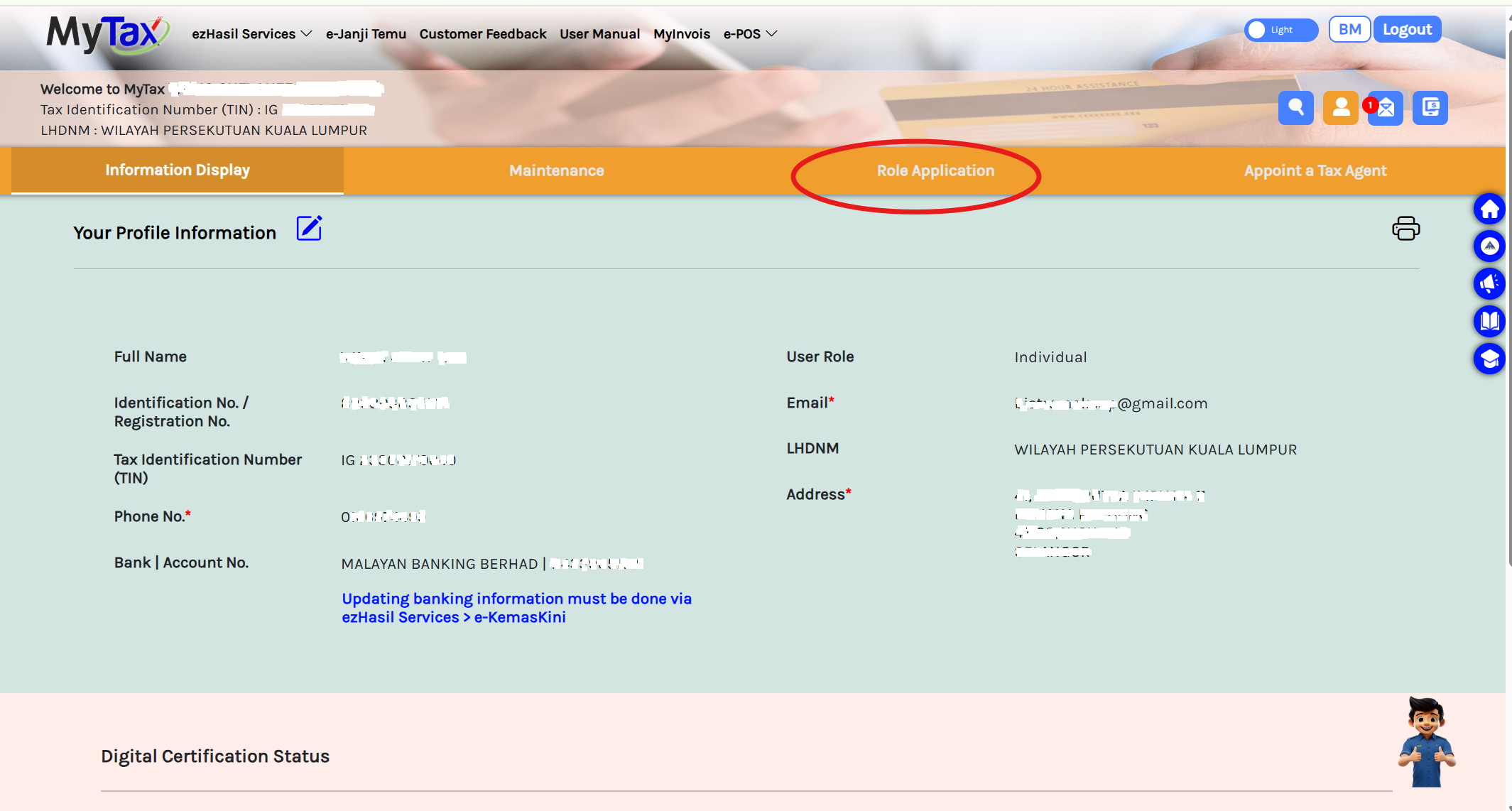
Step 2: Go to Profile

After logging in, navigate to Profile.
Look for the Role Application option to begin the application process.
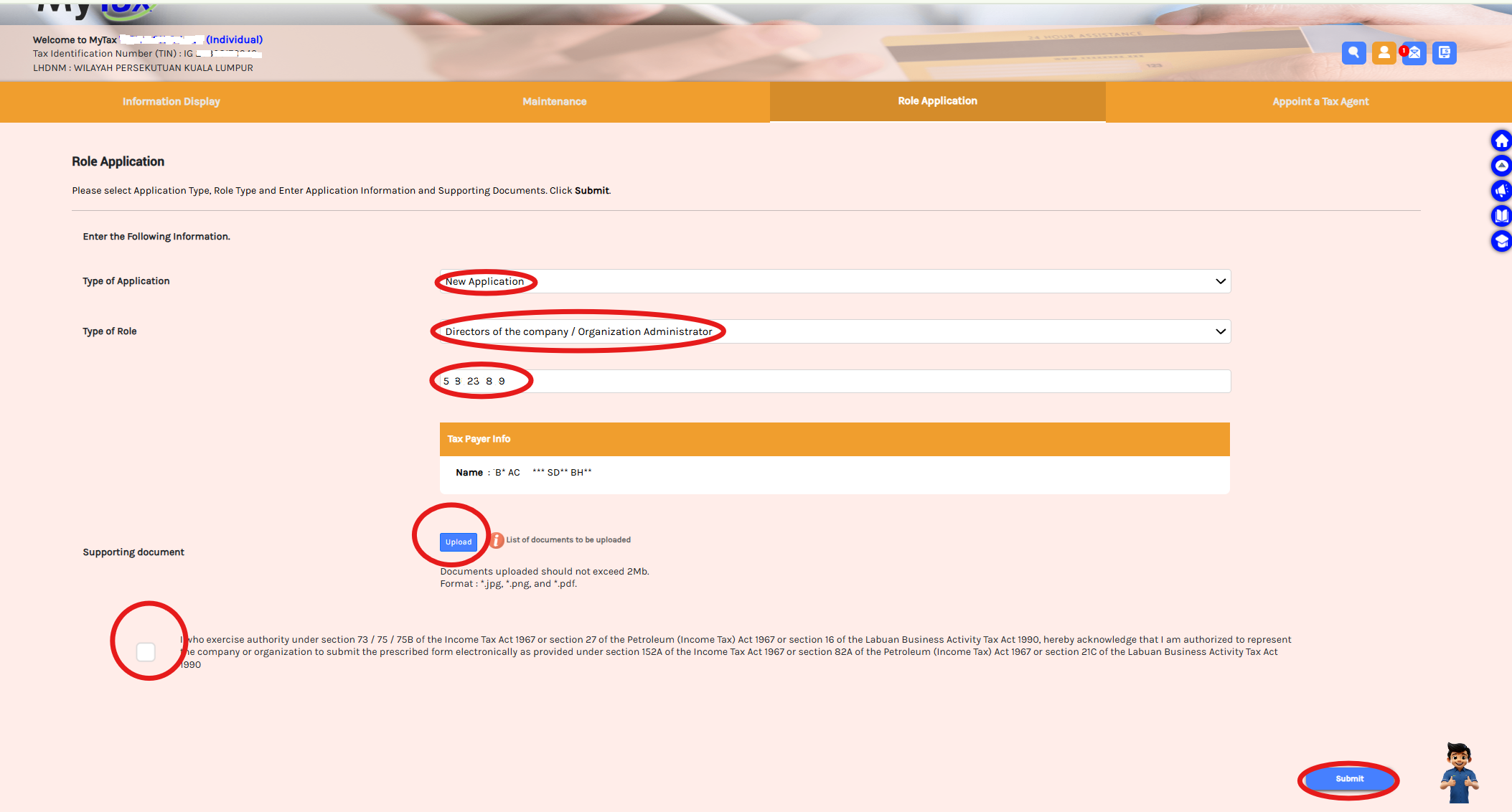
Step 3: Select the Role Application Details
Under the Role Application section, select the following options:
- Type of Application: New Application
- Type of Role: Directors of the Company / Organisation Administrator
Next, enter the company’s Tax Identification Number (TIN).
Step 4: Verify the Company Information
After you enter the company’s TIN, the company’s details should appear automatically in the system.
Check the displayed information carefully to ensure that it corresponds to the correct company.
If the information is incorrect or does not appear, verify the company’s TIN before proceeding.
Step 5: Upload Supporting Documents
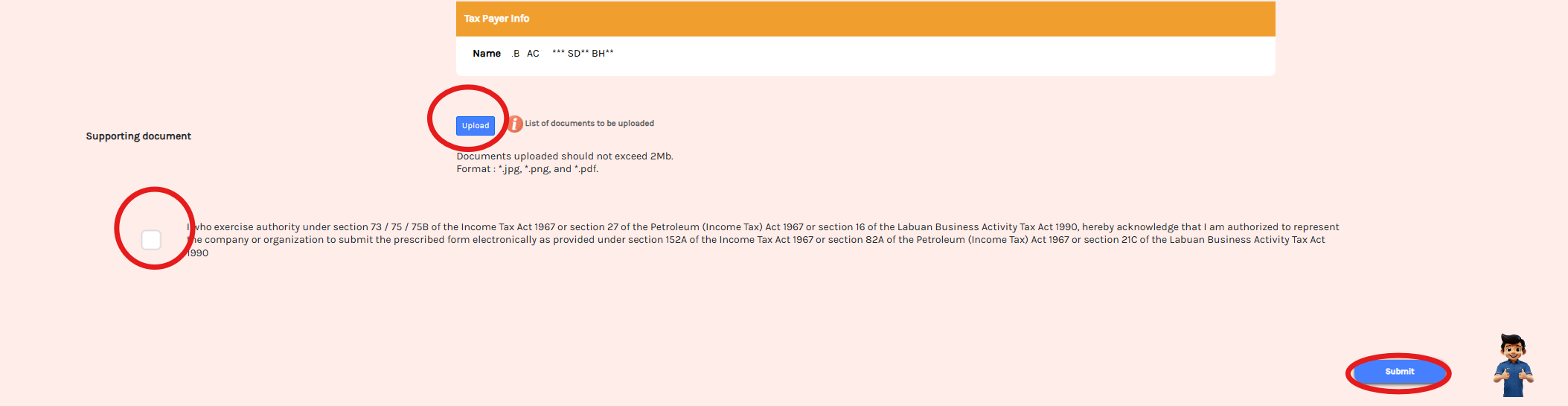
Upload the relevant supporting documents to prove that you are a director of the company.
Depending on the documents available and the requirements shown in MyTax, supporting documents may include:
- Form 49 – for applicable historical company records; or
- Section 14 document under the Companies Act 2016, relating to the company’s incorporation particulars.
Ensure that the uploaded documents clearly support your appointment as a director. Follow any additional document requirements specified by LHDN in the portal.
Step 6: Submit Your Application
After completing the application details and uploading the supporting documents:
- Review the information entered.
- Tick the consent column.
- Click Submit to submit your application.
- Wait for LHDN to process and approve the application.
Approval may not be immediate, so check your MyTax account for the application status.
Step 7: Check Your Approved Role
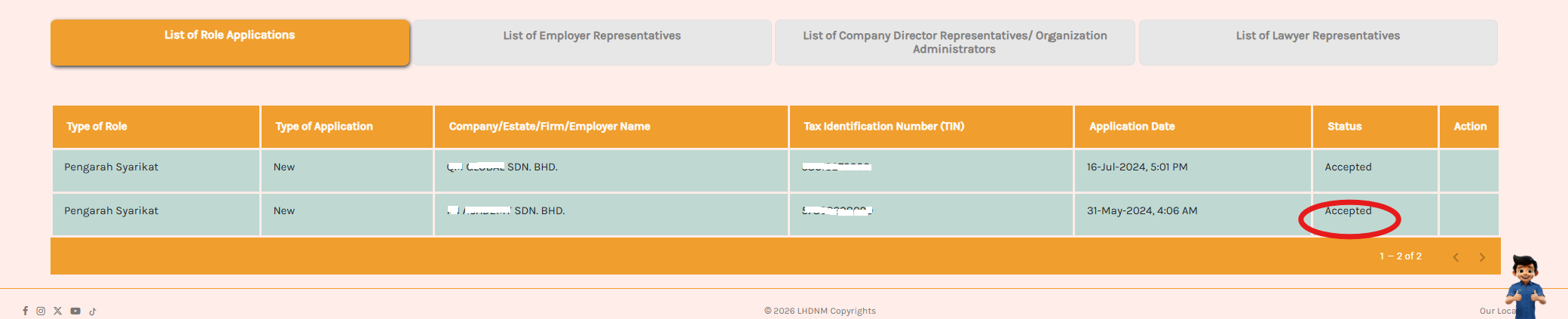
Once the application has been approved, return to your MyTax profile or role section.
The approved role should appear at the bottom of the page or in the relevant role listing.
You can then access the company-related functions available to your approved role.
Common Issues When Applying for a Director Role in MyTax
Here are some points to check if you encounter difficulties:
1. Company details do not appear
Verify that you have entered the correct company TIN.
2. Application is pending approval
Check the application status and ensure that the supporting documents are complete. Contact LHDN if further clarification is required.
3. Another director needs access
Check the current MyTax rules on director-role registration and use the appropriate representative authorisation process for other users.
4. Employer role is missing
Check whether the Employer role has been approved automatically. If it is missing, submit a separate application where the portal permits it.
Need Assistance With Your Company’s Tax Compliance?
Setting up the correct MyTax access is an important step in managing your company’s tax affairs in Malaysia. Ensuring that the appropriate director and representatives have access can help facilitate tax compliance and communication with LHDN.
At CLPC Advisors, we are Licensed Tax Firm in Malaysia provide professional corporate tax compliance and advisory services to businesses in Malaysia.
Our services include corporate tax computation and filing, tax advisory, accounting, bookkeeping, and corporate secretarial services.
If you require assistance with your company’s tax compliance, contact CLPC Advisors to discuss your requirements.
CLPC Advisors
Where Compliance Meets Strategy.
Website: https://clpc.my/
Prepared & Reviewed By
Pang Cheng Leong is the Managing Director of CLPC Advisors Sdn Bhd, a professional services firm in Malaysia providing corporate tax, accounting, corporate secretarial and business advisory services.
He is a Chartered Accountant in Malaysia, Chartered Tax Practitioner, Licensed Income Tax Agent under Section 153 Income Tax Act Malaysia and Licensed Company Secretary, and has extensive experience advising Malaysian companies, startups and foreign investors on taxation, compliance and business structuring.
Professional affiliations: CA (Malaysia), CPA (Australia), CPA (Malaysia), ASEAN CPA, ACTIM
Disclaimer: This article is intended for general information only. MyTax procedures, role names, supporting document requirements and approval processes may change. Please refer to the official MyTax portal or contact LHDN for the latest requirements.